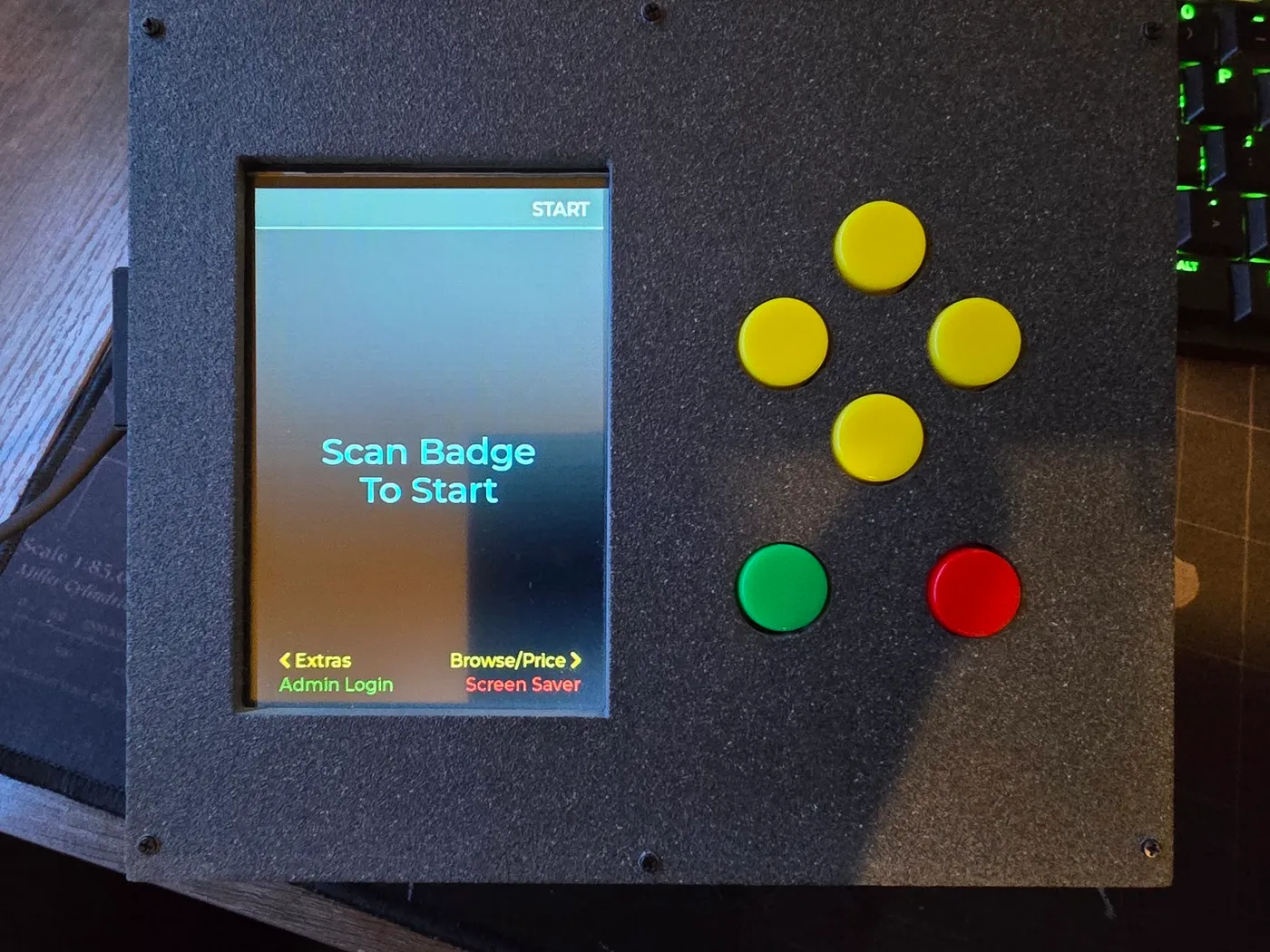
Snack Cart POS
A self-contained ESP32-S3 point-of-sale terminal for a workplace snack cart — scan a badge, scan snacks, pay by Venmo, Cash App, or Zelle from a QR code, with a SQLite ledger, a phone-friendly admin portal, and two deliberately laggy games, all in a weighted, 3D-printed box.
The actual problem this solves is dumber than it sounds: on an honor-based snack cart, “paying” meant squinting at a printed price sheet, doing mental math for however many items you grabbed, then typing that total into Venmo by hand. Annoying enough, often enough, that I did what I apparently always do when something is mildly inconvenient: spent hours of effort engineering my way out of seconds of effort. This is more or less my whole hobby — if there’s a four-second mental math problem between me and a snack, the obviously correct response is to build an entire microcontroller-powered terminal instead of just doing the math. Peak laziness requires real dedication.
So now: scan your badge, scan whatever you’re taking, and the cart spits out a QR code with the total already done for you — no mental math, no fudging, no squinting at a laminated sheet taped to a cart. It also keeps a running ledger of who bought what and whether they actually paid, which matters more than it sounds: an honor system holds up fine right up until nobody’s checking, and it turns out just quietly checking is enough to keep everyone honest. Mine just happens to do that part automatically.
Because it needed some personality, the splash screen and screensaver both feature Logicish Designs’ actual mascot — a hand-drawn dancing fish with rising bubbles. Nice touch or unnecessary one depending who you ask. I’m going with nice touch.
It shipped. The finished version lives in a weighted, textured, 3D-printed box with six buttons on top, takes Venmo, Cash App, or Zelle, backs itself up five times over, and checks its own health every time it powers on. Somewhere along the way it also picked up two deliberately laggy games, because someone asked for games and nobody specified good ones. The printed manual that goes with it is in the Docs tab, and the full source is on GitHub.